
CNYT LAN Scanner
Scan your local network — see every device, hostname, MAC address, open port, and VNC service. One click, no setup.
Scan your local network — see every device, hostname, MAC address, open port, and VNC service. One click, no setup.
CNYT LAN Scanner is a standalone Windows desktop app for scanning local networks (LAN). It runs as a single executable — no Python, no installation, no server required. Just download, run, and scan.
The tool identifies all reachable hosts via ICMP ping, resolves their hostnames via DNS, reads MAC addresses via ARP, looks up the manufacturer from the MAC-OUI database, and optionally scans for open TCP ports including VNC. Results can be exported as CSV or PDF.
Everything runs locally. No data leaves your machine. No accounts, no telemetry, no license checks.
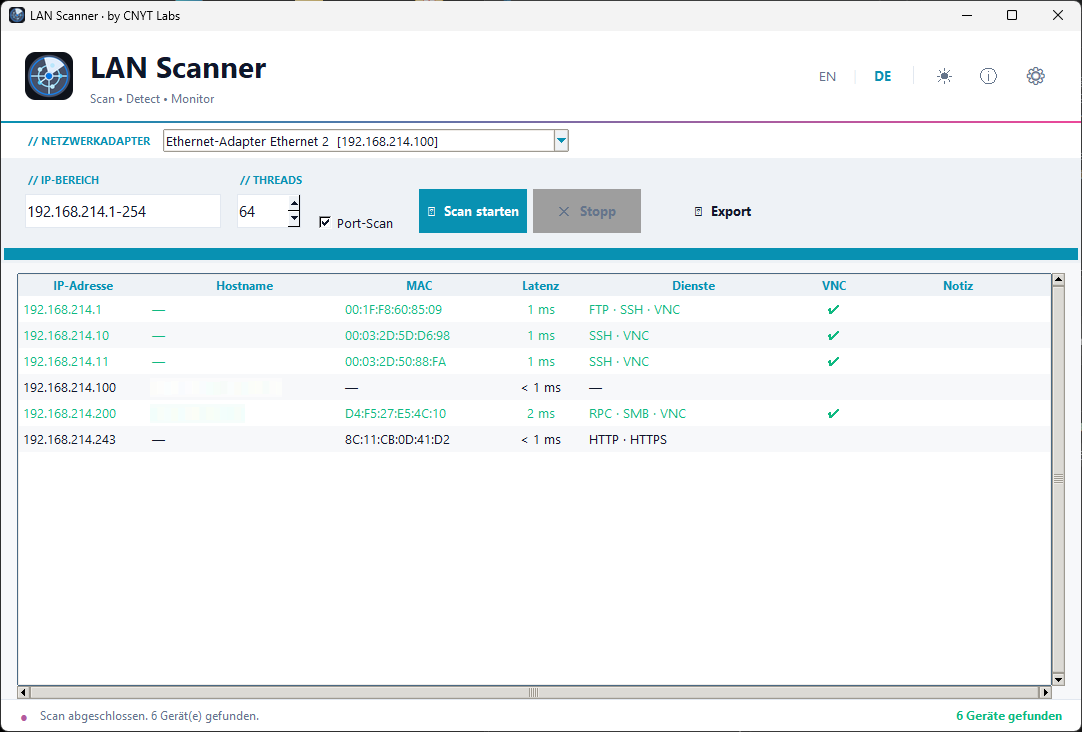
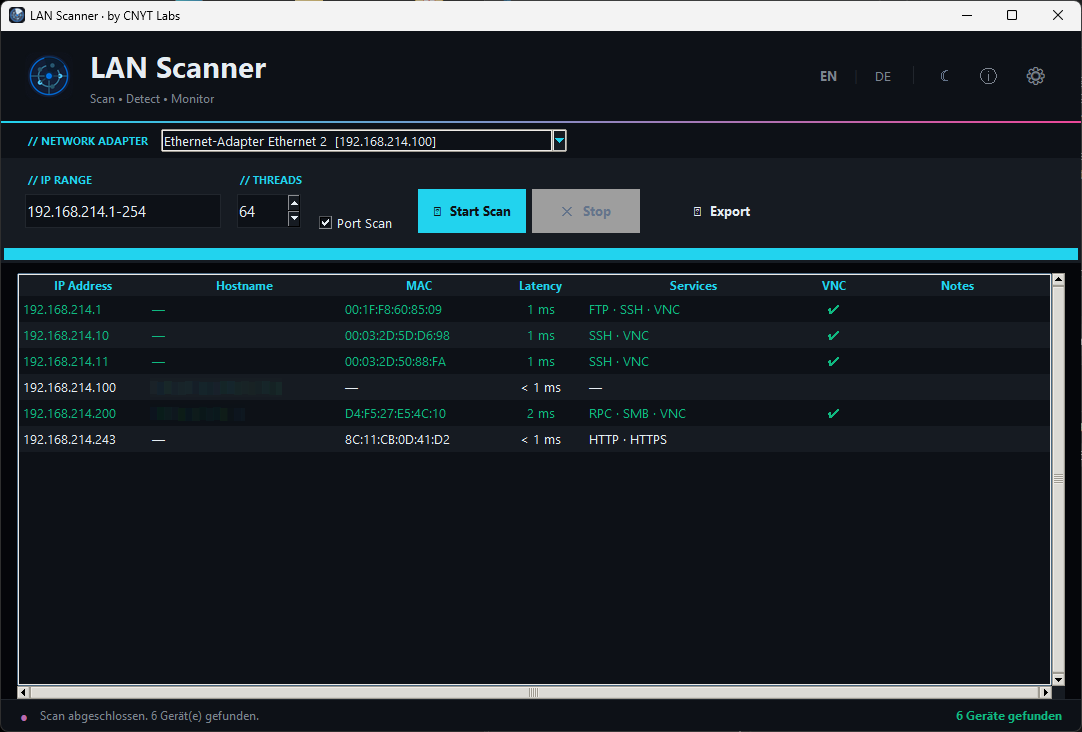
Scans a configurable IP range with parallel ICMP pings. Detects reachable devices and measures round-trip latency in ms.
Automatically resolves device hostnames via DNS reverse lookup for each discovered host.
Reads hardware MAC addresses via ARP and resolves the device manufacturer using an offline OUI database.
Optionally scans a defined list of common TCP ports per host and displays the associated service names.
Detects open VNC services and highlights the result directly in the scan table with a visual indicator.
Exports scan results to CSV (spreadsheet-ready) or a formatted PDF report including metadata and timestamp.
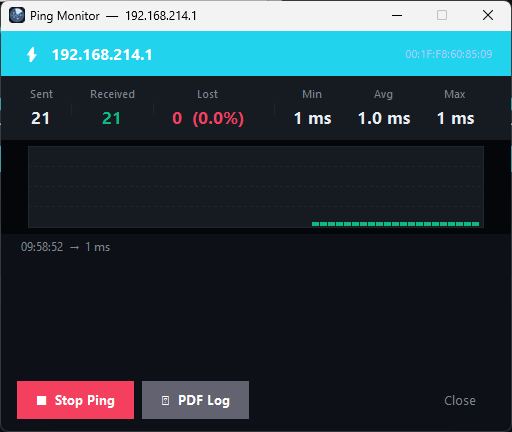
Right-click any host to open a live ping monitor with a real-time latency chart and exportable PDF log.
Fully themed UI with a dark and light mode, switchable at any time without restarting the app.
Full bilingual support: switch between German and English at runtime without restarting the app.
Note: These tools are developed by CNYT Labs. As the applications are currently not signed with a commercial code-signing certificate, Windows may show a security warning on first launch. The application can be started via “More info” → “Run anyway”.
The ZIP archive includes everything you need — no installation required.
CNYT LAN Scanner remains free. Voluntary contributions fund further development and new tools.
CNYT Labs unterstützen