CNYT File Analyzer
Analyse files and folders in depth — sizes, categories, duplicate hints, empty directories and PDF reports. No file changes, just diagnostics.
Analyse files and folders in depth — sizes, categories, duplicate hints, empty directories and PDF reports. No file changes, just diagnostics.
CNYT File Analyzer is a standalone Windows desktop app for analysing file collections. It runs as a single executable — no Python, no installation, no setup required. Just download and run.
The diagnostic view gives you a full picture of any folder: total file count and size, category breakdown, duplicate hints, empty directories, largest files, largest folders, recommendations and a PDF report. The tool does not move, delete, sort or rename files.
Everything runs locally. No data leaves your machine. No accounts, no telemetry, no cloud.
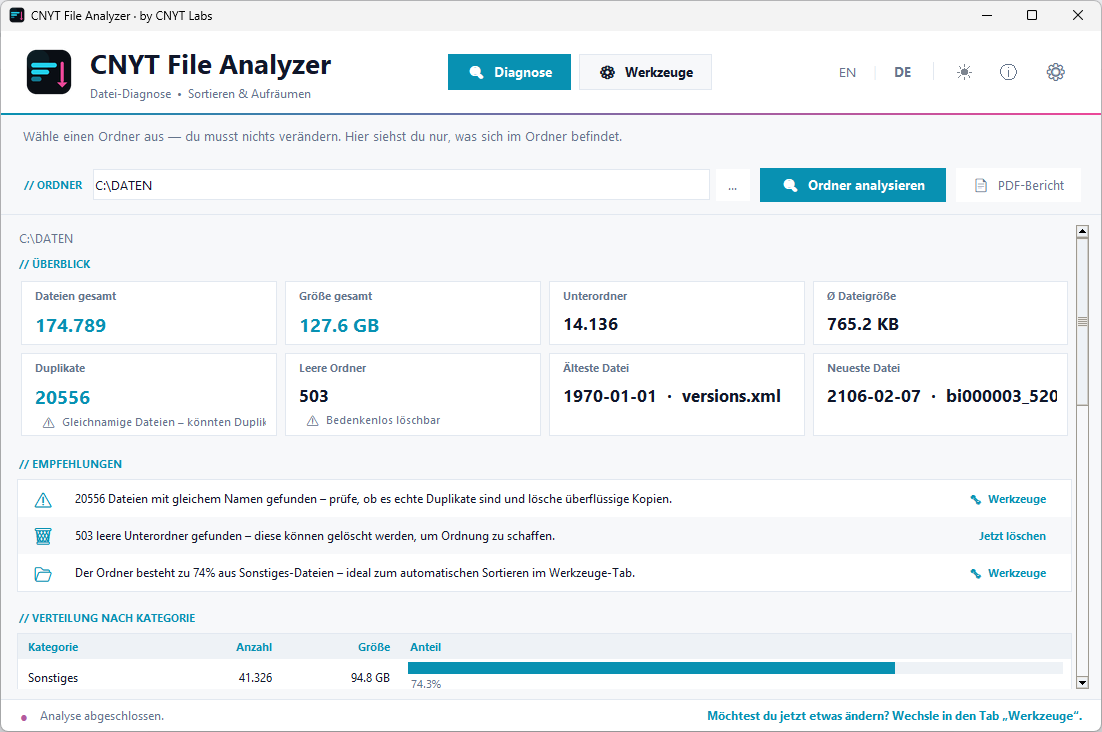
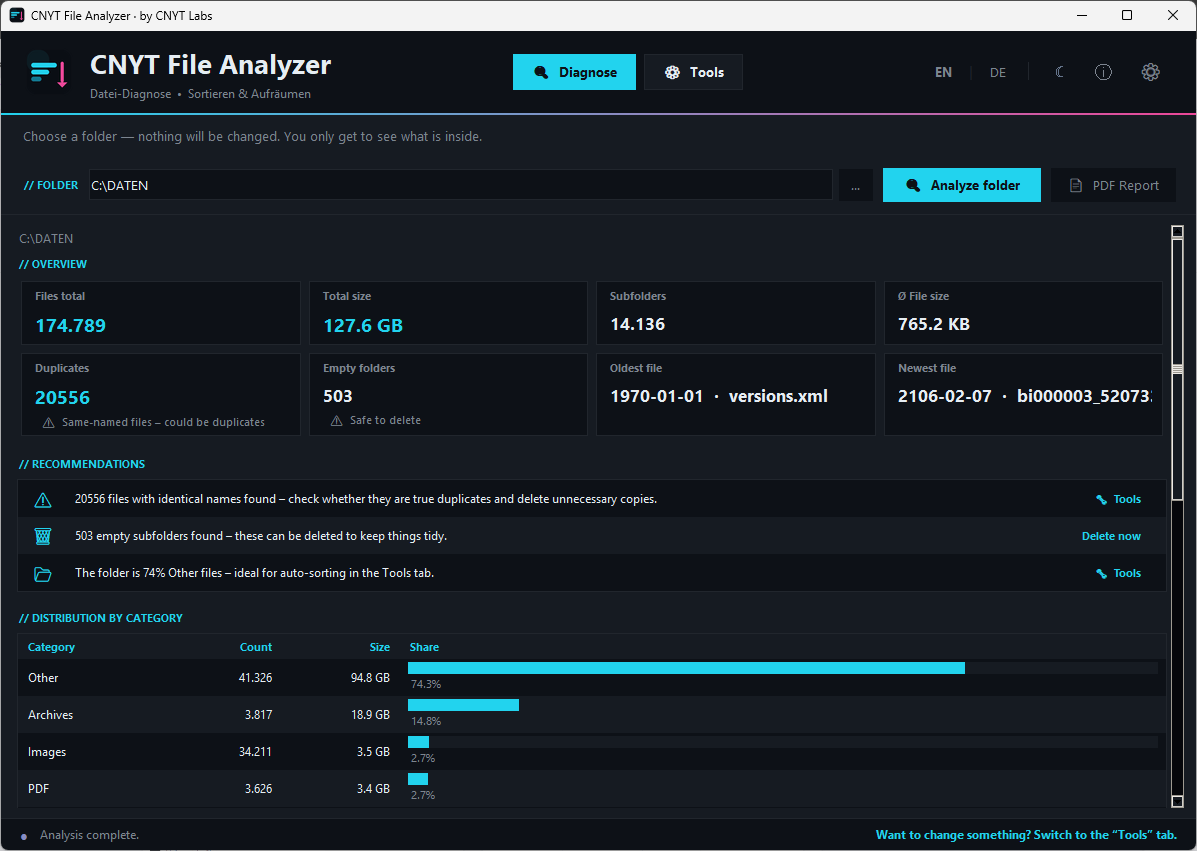
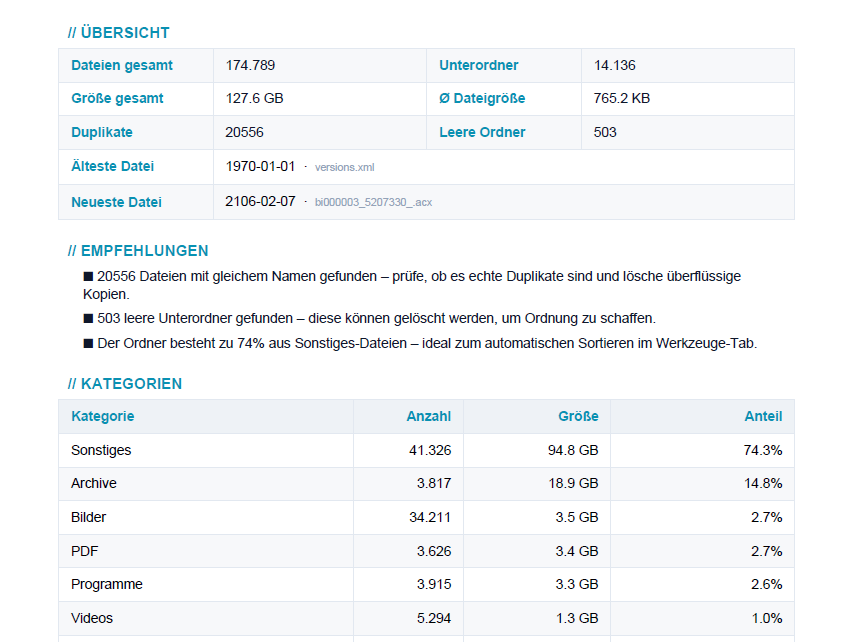
Scans any source folder and reports total file count, size on disk, and a breakdown by file category. Results can be exported as a PDF report.
Groups files into categories — Images, Videos, Documents, Audio, Archives, Code, and more — with counts and total sizes.
Identifies duplicate files by content hash and shows them grouped, so you can review before taking any action.
Locates all empty directories in the scanned tree so you can clean them up without hunting through your filesystem manually.
Exports the analysis as a clean PDF report for documentation, sharing or later review.
The tool does not move, delete, sort or rename files. It only reports what it finds.
Highlights possible cleanup areas so you can decide outside the tool what should be changed.
Fully themed UI with dark and light mode, switchable at any time without restarting the app.
Full bilingual support: switch between German and English at runtime without restarting the app.
Note: These tools are developed by CNYT Labs. As the applications are currently not signed with a commercial code-signing certificate, Windows may show a security warning on first launch. The application can be started via “More info” → “Run anyway”.
The ZIP archive includes everything you need — no installation required.
CNYT File Analyzer remains free. Voluntary contributions fund further development and new tools.
CNYT Labs unterstützen